Quick answer: The access_token_exchange_failed error typically occurs when the production version of the Salesforce connector is used inside a Slack sandbox environment. To resolve it, contact Slack Support and ask them to enable the sandbox version of the Salesforce connector for your specific Slack sandbox.
If you are a consultant, admin, developer, or architect connecting Salesforce to Slack in a non-production workspace, you may have hit this error. This post explains what it means, why it happens, and how to fix it.
What Is the access_token_exchange_failed Error?
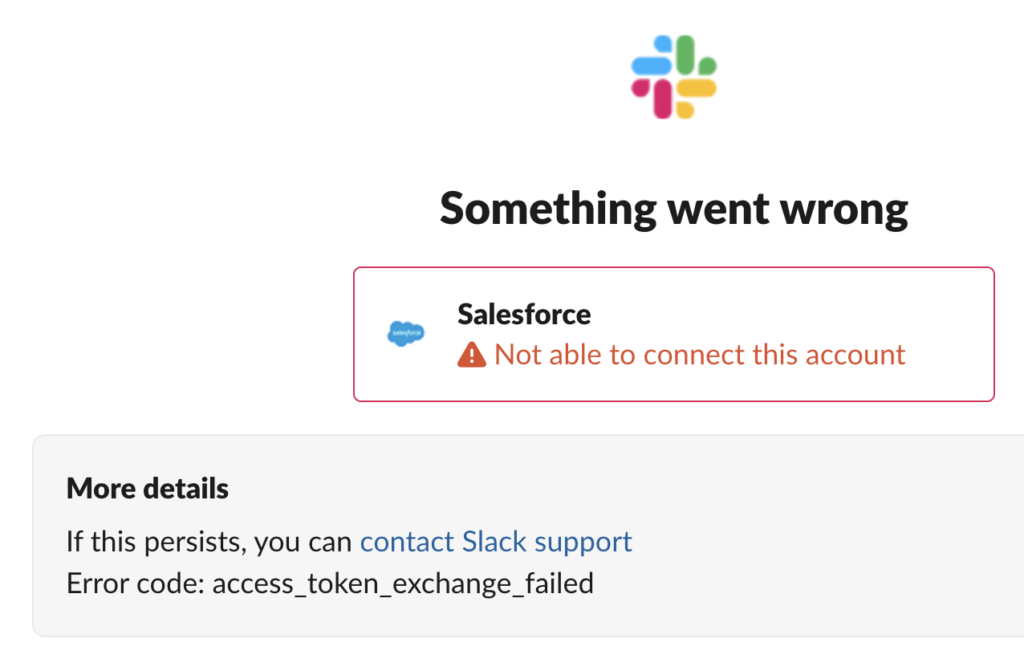
You will see this error code when connecting Salesforce to Slack:
Error code: access_token_exchange_failedIt appears during connector authorization, when the token exchange between Slack and Salesforce does not complete. In practice, the connection to Salesforce cannot be established from your Slack workspace.
Why Does This Happen?
The most common cause is an environment mismatch:
- You are working in a Slack sandbox workspace.
- The production version of the Salesforce connector is being used there.
The production connector is not intended for a sandbox environment, so the token exchange fails.
How to Fix access_token_exchange_failed
- Confirm your environment. Verify that the workspace where the error occurs is a Slack sandbox.
- Contact Slack Support. Request that the sandbox version of the Salesforce connector be enabled.
- Provide your sandbox details. The sandbox version is enabled for your specific Slack sandbox, so include the identifying details Slack Support asks for. (Interpretation: the exact details required may vary. Validate with Slack Support.)
- Retry the connection. Once Slack confirms the sandbox connector is enabled, repeat the Salesforce connector authorization.
Best Practices and Recommendations
Your content did not include a code snippet, so there was nothing to leave unchanged, and no snippet-level recommendations to carry over. The recommendations below are working guidance drawn from the resolution above, not from code:
- Match connector to environment. Use the production connector in production workspaces and the sandbox connector in sandbox workspaces.
- Check the environment first. When you see this error, confirm whether you are in a sandbox before troubleshooting anything else.
- Raise the Slack Support request early. Enabling the sandbox connector requires Slack Support, so include it in your sandbox setup checklist to avoid delays.
- Document it for your team. Note the requirement in your runbook or setup guide so teammates do not repeat the investigation.
Frequently Asked Questions
What does access_token_exchange_failed mean?
It indicates the token exchange needed to authorize the Salesforce connector did not succeed. A frequent cause is using the production connector in a Slack sandbox.
Can I fix this myself as an admin?
Per the resolution, no. You need to contact Slack Support to have the sandbox version of the Salesforce connector enabled.
Does the fix apply to every sandbox?
No. Slack enables the sandbox connector for your specific Slack sandbox.