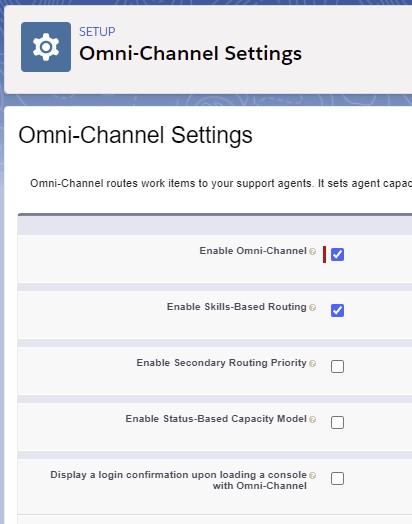
1. Enable Skills-Based Routing under Omni-Channel Settings.
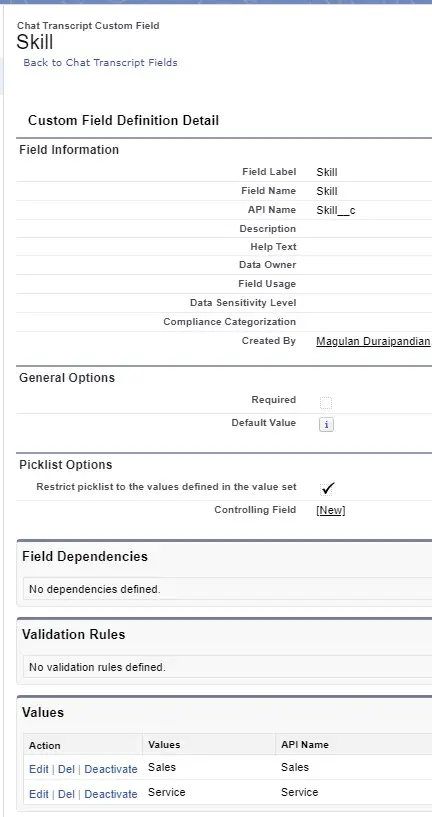
2. Create a Custom Field in Chat Transcript object. I have created Skill__c(Picklist field) to route chats based on the Skill selection.
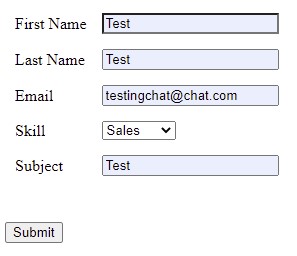
3. Create a Pre-Chat Visualforce page to capture Custom Field(Skill__c) from the Pre-Chat Form.
Sample Pre-Chat Visualforce Page Code:
<apex:page showHeader="false" standardStylesheets="false" sidebar="false" title="Pre-Chat Form" cache="false">
<!-- form id should be used in getElementById() -->
<script type="text/javascript">
(function() {
function handlePageLoad() {
var endpointMatcher = new RegExp("[\?\&]endpoint=([^&#]*)");
document.getElementById('prechatForm').setAttribute('action',
decodeURIComponent(endpointMatcher.exec(document.location.search)[1]));
}
if (window.addEventListener) {
window.addEventListener('load', handlePageLoad, false);
} else {
window.attachEvent('onload', handlePageLoad, false);
}
})();
</script>

<form method='post' id='prechatForm'>
<table cellspacing="5" cellpadding="5">
<tr>
<td>First Name</td>
<td><input type='text' name='liveagent.prechat:ContactFirstName' /></td>
</tr>
<tr>
<td>Last Name</td>
<td><input type='text' name='liveagent.prechat:ContactLastName' /></td>
</tr>
<tr>
<td>Email</td>
<td><input type='text' name='liveagent.prechat:ContactEmail' /></td>
</tr>
<tr>
<td>Skill</td>
<td>
                    <select name="liveagent.prechat:ChatSkill">
<option value="">--None--</option>
<option value="Sales">Sales</option>
<option value="Service">Service</option>
</select>
</td>
</tr>
<tr>
<td>Subject</td>
<td><input type='text' name='liveagent.prechat:CaseSubject' /></td>
</tr>
</table>
<!-- Contact creation Start -->
<input type="hidden" name="liveagent.prechat.findorcreate.map:Contact" value="FirstName,ContactFirstName;LastName,ContactLastName;Email,ContactEmail" />
<input type="hidden" name="liveagent.prechat.findorcreate.map.doFind:Contact" value="FirstName,true;LastName,true;Email,true" />
<input type="hidden" name="liveagent.prechat.findorcreate.map.isExactMatch:Contact" value="FirstName,true;LastName,true;Email,true" />
<!-- Contact creation End -->
<!-- Case creation Start -->
<!-- Setting Case Status and Origin -->
<input type="hidden" name="liveagent.prechat:CaseStatus" value="New" /><br />
<input type="hidden" name="liveagent.prechat:CaseOrigin" value="Chat" /><br />
<input type="hidden" name="liveagent.prechat.findorcreate.map:Case" value="Subject,CaseSubject;Status,CaseStatus;Origin,CaseOrigin" />
<input type="hidden" name="liveagent.prechat.findorcreate.map.doCreate:Case" value="Subject,true;Status,true;Origin,true" />
<!-- Case creation End -->
<!-- Linking Contact and Case to the Chat Transcript -->
<input type="hidden" name="liveagent.prechat.findorcreate.saveToTranscript:Contact" value="ContactId" />
<input type="hidden" name="liveagent.prechat.findorcreate.saveToTranscript:Case" value="CaseId" />
<!-- Saving Skill value to the Chat Transcript -->
<input type="hidden" name="liveagent.prechat.save:ChatSkill" value="Skill__c" />
<!-- Showing the Contact and Case when the Chat loads automatically in a subtab in the Salesforce console -->
<input type="hidden" name="liveagent.prechat.findorcreate.showOnCreate:Contact" value="true" />
<input type="hidden" name="liveagent.prechat.findorcreate.showOnCreate:Case" value="true" />
<!-- Linking Case to the Contact -->
<input type="hidden" name="liveagent.prechat.findorcreate.linkToEntity:Contact" value="Case,ContactId" />
<input type="submit" value="Submit"/>
</form>
</apex:page>
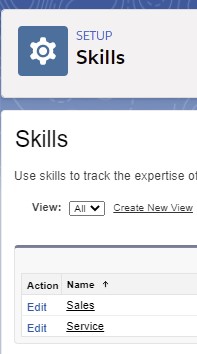
4. Create Skills under Salesforce Setup.
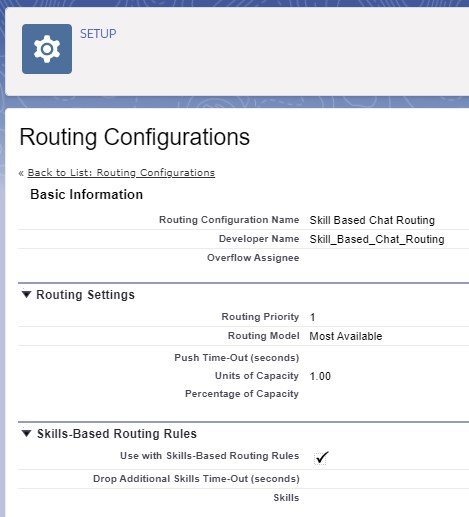
5. Create a Routing Configuration. Make sure “Use with Skills-Based Routing Rules” is enabled.
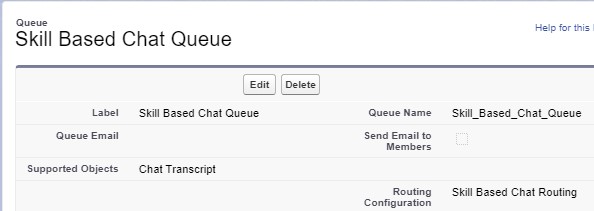
6. Create a Queue for Skill Based Routing Configuration created in Step 5.
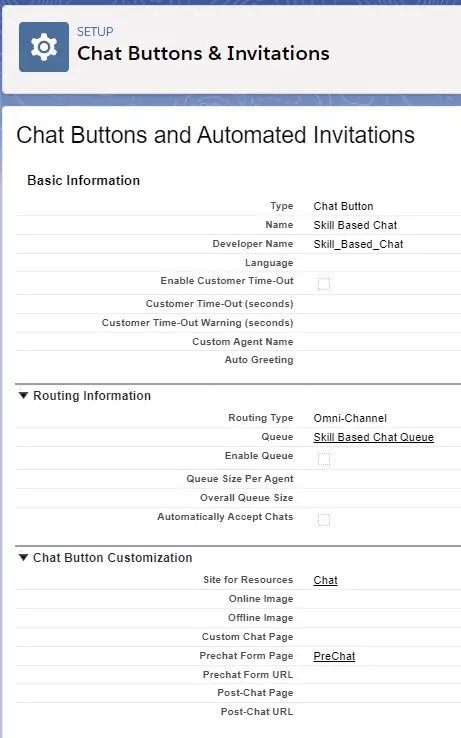
7. Create a Chat Button for Skill Based Routing.
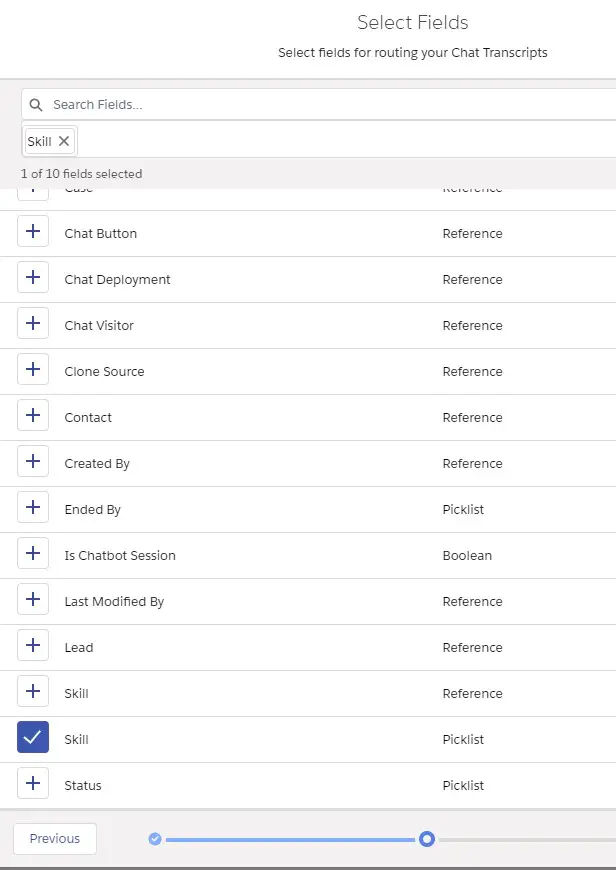
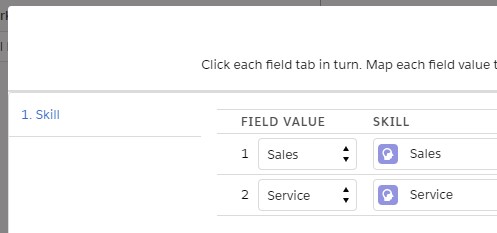
8. Create a new Skills-Based Routing Rule for Chat Transcript object. Select the Skill(Custom Picklist Field) for routing.
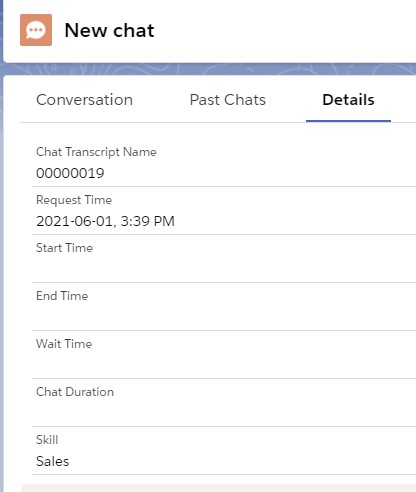
Output: